
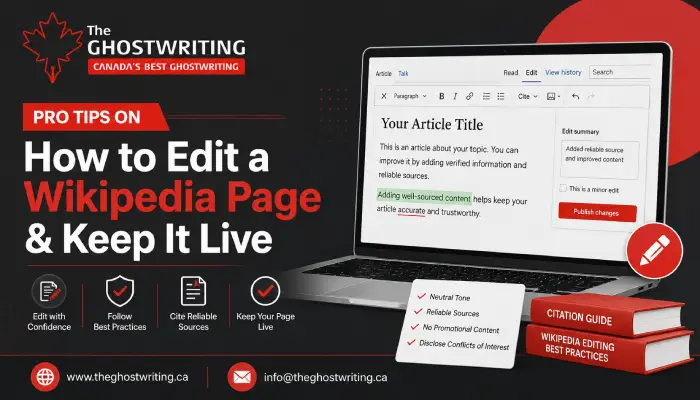
Pro Tips on How to Edit a Wikipedia Page & Keep It Live
Have you ever edited a Wikipedia page? If you haven’t, editing a Wikipedia page can either be surprisingly easy or extremely challenging.
Fixing typos and adding or removing sentences can be easy because these edits require no coding knowledge. Just like a word processor, you can click ‘Edit’ to make changes. However, writing objective articles without bias or promotional language and backing your content with highly credible, published secondary sources can be easier said than done.
However, if you find editing a Wikipedia page challenging, then this blog is definitely for you!
Let’s get an overview of Wikipedia and learn how to edit a Wikipedia page.
What Is Wikipedia?
Wikipedia is basically a free, online encyclopedia. Besides that, it is not only multilingual but also openly editable. This means that anyone who has internet access can write, edit, and improve articles.
Many businesses even hire a ghost writer for hire service to help create or manage Wikipedia-related content professionally.
Wikipedia is currently the 11th most-visited website in the world. Along with this, Wikipedia has featured millions of articles in more than 300 languages. In human history, it has become the largest reference work.
Wikipedia’s content is written and maintained by a global community of volunteer editors known as Wikipedians.
How to Edit a Wikipedia Page?
‘’How to edit a Wikipedia page’’ is one of the most commonly searched questions among new Wikipedia users. Editing a Wikipedia page is actually quite easy. You can begin by creating or logging in to your account. Then, go to the article you want to edit, and click ‘Edit’ present at the top. If you are a beginner, use the intuitive Visual Editor to make changes in the article. Click the ‘Publish Changes’, provide an edit summary, and hit ‘Publish Changes’ again to make your update live.
Let’s get into the details.
Create an Account:
First and foremost, create an account or log in. However, this step is optional, and you can make changes without an account; we advise using a Wikipedia account. But why is an account crucial?
Well, a Wikipedia account not only protects your privacy but also allows you to access more tools.
To create an account, go to the top corner of a Wikipedia page and select ‘Create account’ or ‘Log in’.
Open the Editor:
Now, go to the page you want to edit. You will see some tabs at the top right of the article. If you click ‘Edit’, the intuitive Visual Editor will open. This is operated just like a standard word processor. Therefore, if you are a beginner, consider using this one.
Besides that, you can use the wiki markup by clicking ‘Edit Source’.
Make Changes:
Make your changes now. Whether you want to correct spelling mistakes, rewrite text, or add information, you can use the article space to do it directly.
Publish Your Changes:
After that, revise the edit and click the ‘Publish Changes’ button at the top right. There will be a small box right below your edits. In this box, you have to provide a brief explanation of the changes that you have made to the page.
Finally, click the ‘Publish Changes’ button to make your update live.
Effective Tips to Keep Your Wikipedia Page Live After Editing
Have you understood how to edit a Wikipedia page? Great!
But if you think that editing is a challenging task, then it’s not! Instead, keeping your Wikipedia page live after editing is where people get stuck.
Well, keeping a Wikipedia page live is not a tough nut to crack. You just need to stick to facts, cite credible sources, and use neutral language. But if the page lacks reliable sources, reads like marketing, or includes a conflict of interest (COI), the edits will be reverted.
The following are some effective tips that will help you keep your Wikipedia page alive after making changes:
Cite Reliable Sources:
First of all, ensure that you are using highly reputable and independent journalistic outlets and peer-reviewed journals. Remember not to rely on social media, personal blogs, or any such unreliable sources.
Besides that, you can also use Wikipedia’s built-in citation tools to format your references properly.
Maintain a Neutral Tone:
In addition, you must maintain a neutral tone throughout the page. State your facts objectively and don’t use promotional language. Also, you must not include your personal opinions.
Disclose Conflicts of Interest (COI):
Whether you are editing a page about yourself, your employer, or a client, disclose your relationship!
Before making any changes to the page, you can disclose the relationship either on your ‘User Page’ or ‘Talk Page’.
If you do not disclose your relationship, your page will be immediately deleted.
Start Small:
Also, you must start by fixing minor mistakes, such as typos, adding missing dates, or updating existing citations. This will help you build your credibility as a new editor.
If editing becomes difficult, some businesses choose to work with a professional Wikipedia page editing service.
What is Wikipedia?
Ans. Wikipedia is a multilingual online encyclopedia which is free and openly editable. Anyone can not only write but also edit and improve articles. It is also one of the most visited websites worldwide.
How to edit a Wikipedia page?
Ans. To edit a Wikipedia page, follow these steps:
Create an account
Open the editor
Make changes
Publish your changes
Do people who edit Wikipedia get paid?
Ans. No, volunteer editors are not paid by Wikipedia. However, third-party companies and agencies can hire professional writers to create and update pages about their businesses or themselves.
Can anyone edit Wikipedia pages?
Ans. Yes, anyone who has an internet connection can edit Wikipedia pages.
What is the difference between Google and Wikipedia?
Ans. Google is basically a search engine that indexes millions of websites. You can find information, products, or specific websites on Google.
Wikipedia, on the other hand, is a collaborative digital encyclopedia. You can find comprehensive summaries and an overview of various topics here.
All in All!
Editing a Wikipedia page is not that complicated. However, keeping the page live after editing can be a bit difficult. To ensure that, you must follow the right approach.
The first thing is how to edit a Wikipedia page. First, create a Wikipedia account, or log in if you already have one. Then open the editor, make changes in the page, and click ‘Publish Changes’.
Also, provide an edit summary and again click ‘Publish Changes’ to make your edited page live.
However, to keep the page live after editing, you must ensure that you have cited reliable, highly credible sources, maintained a neutral tone, disclosed conflicts of interest, and started small.

I am a professional ghostwriter and narrative expert with extensive experience writing compelling content across genres, from books and memoirs to academic essays and web content. With a passion for storytelling and a talent for translating complex ideas into engaging prose, I help authors, academics, and creative thinkers bring their words to life. On this blog, I share writing techniques, creative insights, structural tips, and behind-the-scenes guidance for anyone looking to sharpen their writing skills or understand the craft of compelling content creation.